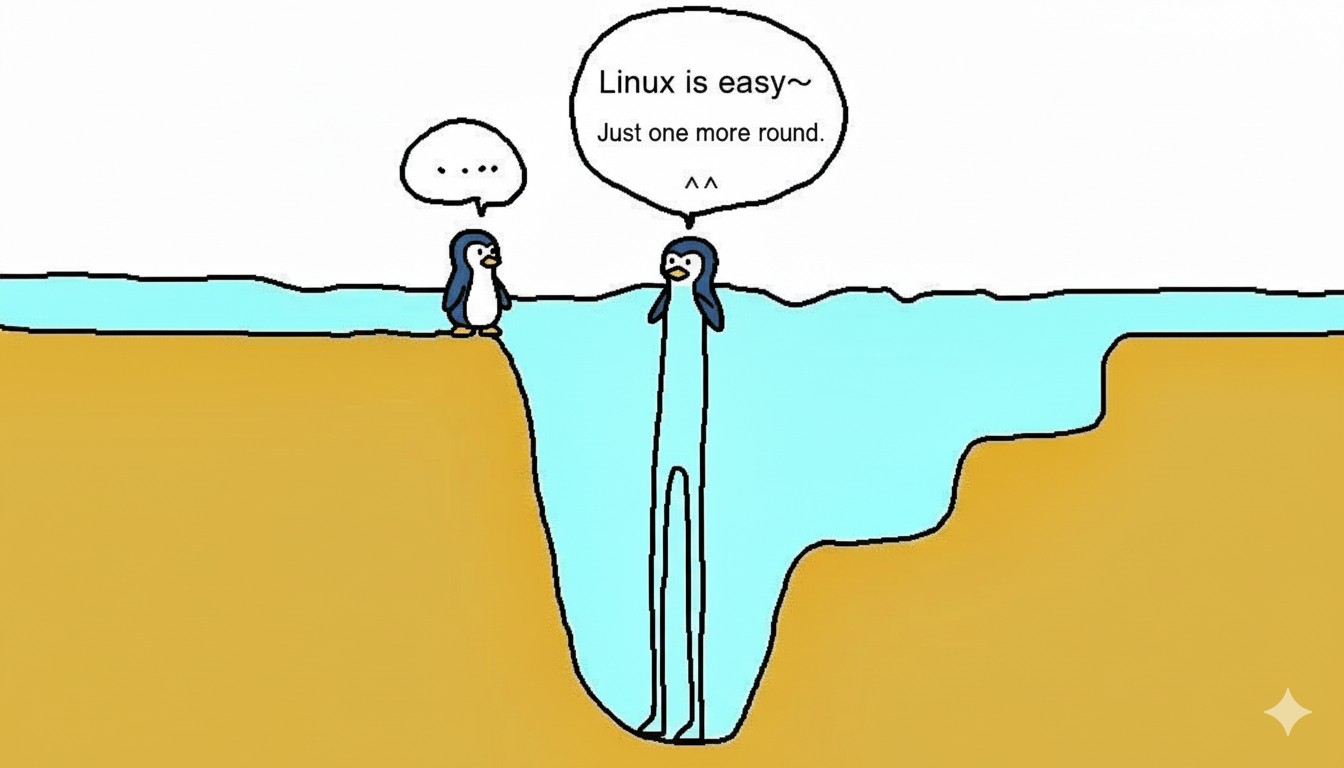
Introduction: Between the Illusion and Reality of an “Easy Linux”
Watching a Linux installation video on YouTube can make it seem like anyone can effortlessly jump to a Linux desktop. “Just a few clicks, plug in a USB, and follow the setup wizard!” But the reality is not so simple. Real-world testimonials from users who have settled into Linux after switching from Windows are filled with stories of troubleshooting right after installation: resetting the bootloader (GRub), partition errors, unrecognized network and graphics drivers, and input method/font issues. This is especially true for users in the CJK (Chinese, Japanese, Korean) character set, who face additional hurdles.
1. Beyond a Simple Installation: The True Difficulty of Bootloaders, Partitions, and Dual-Booting
1) The Reality of Dual Boot & Partitioning
Most beginner Linux users want to use it alongside their existing Windows installation. While the “automatic partitioning” option is often recommended, in practice, you might encounter:
- Partitioning Mistakes: Deleting data partitions, corrupting the Windows boot partition, or EFI/ESP partition recognition errors.
- Triple/Multi-OS Environments: Requires manual analysis of boot flags and choosing a file system like ext4, btrfs, or zfs.
- GPT/MBR Issues: Older PCs use MBR, while modern ones use GPT/UEFI. A conflict here can sharply increase the chances of boot failure.
2) The Complexity of GRUB (the Bootloader)
Linux uses a loader called GRUB to manage the selection screen for multiple operating systems like Windows and Linux.
- If GRUB fails to find or damages the Windows partition during installation, it can lead to a “won’t boot” situation.
- A corrupted GRUB requires a recovery process (using a live USB, chroot, and complex recovery commands).
- The process differs depending on UEFI/BIOS mode, and if the EFI partition gets messed up, the recovery difficulty is beyond a beginner’s skill level.
3) Real-World Driver Problems
While Windows automatically recognizes most devices, Linux often involves trial and error:
- NVIDIA/AMD Graphics Drivers: Even when installed via the GUI, mismatches in kernel or driver versions can break Xorg or Wayland.
- Wi-Fi and Bluetooth: Newer chipsets or those from Realtek (RTL series) may require separate drivers or patches.
- Laptop Power & Touchpad: Requires separate setup for tools like TLP and Synaptics.
2. Post-Installation “Fragmentation” and the Instability of the Linux Desktop
1) Distribution Fragmentation: The Different Worlds of Ubuntu, Mint, Fedora, and Arch
Linux is not a single OS. Hundreds of distributions are developed with their own philosophies.
- Differences in Package Management: Ubuntu/Mint use
apt, Fedora usesdnf, and Arch/Manjaro usepacman. To install a single app, you first need to find the right command for your distribution. - Inconsistent Tools and Menus: Ubuntu and its derivatives like Kubuntu and Xubuntu share a base but use different desktop environments (GUIs), meaning their settings menus have completely different layouts and names. Even a simple task like setting up a printer might be in ‘Settings > Printers’ on one, while another requires accessing the CUPS web interface.
2) Desktop Environment (GUI) Fragmentation: The Chaos of GNOME, KDE, and XFCE
Choosing a distribution isn’t the end. The user-facing screen (GUI), or desktop environment, also branches into multiple options.
- Inconsistent User Experience: GNOME, KDE Plasma, XFCE, Cinnamon, etc., all have different ways of handling windows, panels, and system trays. You’ll find yourself constantly hunting for basic functions like ‘Network Settings’ or ‘Display Settings’.
- Useless Guides: An online guide you find to solve a problem is often useless if it wasn’t written for your specific desktop environment.
3) Driver and Kernel Fragmentation: A Wild West Depending on Hardware
- Graphics Drivers: NVIDIA drivers have varying compatibility with different distributions and desktop environments. A control panel that works fine in KDE might be buggy in GNOME. The difference between display server technologies like Wayland and Xorg further complicates things.
- The Kernel Dilemma: The newest hardware requires the latest kernel, but it might not be supported in stable, Long-Term Support (LTS) distributions that use older kernels. Conversely, the latest kernel can introduce stability issues.
- Wi-Fi and Sound: Certain Wi-Fi chipsets (e.g., Realtek) may only work after you manually compile source code or add an unofficial repository (PPA). The sound system is also a mix of PulseAudio and PipeWire, which can cause problems with audio device recognition.
4) The Limits of the GUI: Relying on the Terminal When It Counts
Even beginners who feel safe “doing everything in the GUI” will eventually have to rely on terminal commands for ‘real problem-solving’ like bootloader recovery, IME issues, graphics driver patching, or network errors. Every solution on the internet starts with, “Open a terminal and type the following command.”
3. The Complex Reality of IME, Fonts, and Localization for CJK Users
1) The Difficulty of Setting Up IMEs (for Korean, Chinese, Japanese)
- IME Fragmentation: There are several types of Korean input methods for Linux, such as Fcitx, IBus, and uim, and their compatibility with desktop environments varies. Fcitx is recommended for KDE, and IBus for GNOME. Choosing the wrong one can result in being unable to type Korean in certain apps.
- Complex Setup Process: After installing the IME package, you need to perform manual tasks like setting environment variables and specifying the locale for it to work correctly. Compatibility issues are even more prominent in a Wayland environment.
- Example: Fcitx might not work in Qt-based apps, and input failures are common in GTK environments or browsers (Chrome, Firefox). A messed-up setting can lead to a full day of troubleshooting.
2) Issues with Korean, Chinese, and Japanese Fonts & Rendering
Windows includes common fonts like ‘Gulim, NanumGothic, Malgun Gothic’ by default. In Linux, users have to find and install them manually.
- Font corruption issues in PDF/Word/HWP documents, and DPI/rendering anomalies.
- When IMEs and fonts get tangled in messengers or browsers, text can disappear or be misaligned.
3) Locale, Keyboard Mapping, and Spell Check
- In distributions like Ubuntu, simply enabling Korean input can often mess up spell check and keyboard mapping.
- Separate mapping is needed for touchpads, Hanja conversion keys, and shortcuts.
4. The Misconception of an “Easy” Installation: Success Rates, Trial and Error, and Real Statistics
1) Real-World Community Stats
On platforms like Reddit, YouTube, and Naver blogs, inquiries about “installation errors,” “boot failures,” “corrupted GRUB,” and “IME not working” pop up dozens of time a day.
- While the success rate has improved, stories of troubleshooting dual-booting, IMEs, drivers, and partitioning are still common.
- The “easy installation” scenario only applies when doing a clean install of a single OS on a single piece of desktop hardware from a USB.
2) Dual-Booting Case Study:
- Wiping a Windows work partition, damaging the EFI partition, losing the GRUB bootloader, etc.
- Recovery requires a combination of terminal commands like chroot, efibootmgr, and blkid.
3) Real-World IME Failures:
- Korean input not working in Chrome after installing the IME.
- Input errors due to compatibility issues between PyQt/GTK apps and Fcitx/Hangul/IBus (especially in a Wayland environment).
5. A Trouble-Free Installation - Is It Realistically Possible?
The statement “installation is easy” requires two conditions:
- A clean install of a single OS (no partition or boot issues).
- An English-speaking user (no IME/localization/font issues). In reality, dual-booting, CJK environments, and older/complex hardware will inevitably lead to additional challenges and trial and error.
Conclusion: Linux Installation is Not a “Few-Click” Task
— It’s far more complex than Windows, especially for CJK users, advanced setups, and dual-booting, with a much higher potential for problems.
- The bootloader (Grub), partitioning, and IME/localization issues are real-world obstacles in a Linux transition.
- “Fragmentation” makes it feel like you’re using a completely different OS depending on the combination of distribution, GUI, and kernel, and there’s a high chance that a guide you find online won’t apply to your setup.
- Additionally, driver and hardware compatibility, which are automated in Windows, often require manual intervention in Linux.
- Users in the CJK character set (Korea, China, Japan) always face an additional set of barriers, including input methods, fonts, spell check, and browser/app compatibility.
- The claim that “Linux installation is easy” is only true in very limited cases. – Realistically, it is more complex than Windows and has a higher probability of running into problems.
In Part 3, we will cover the practical cases and advantages of where Linux becomes the only “rational choice”: recycling old PCs, its environmental and economic value, and in the gap left by Windows 11’s lack of support.
Related Posts
- Windows vs. Linux for Desktop: The Realistic Reason Why Linux Can Be More Expensive (Part 1)
- Recycling Old PCs and Eco-Friendly Practices in Action – Linux Does What Windows Can’t (Part 3)
References
- How to Dual Boot Ubuntu 24.04 LTS and Windows 10/11 (YouTube)
- Problems installing Ubuntu as dual boot next to windows (Ubuntu Forums)
- Ubuntu Server Initial Setup Blog (Korean)
- Post-Installation Experience with Ubuntu (Korean)
- Things to Do After Installing Linux Mint
- Ubuntu Installation Errors and Solutions
- Comparison of Linux Distributions (Wikipedia)
- 8 Reasons Why Linux Mint is Better Than Ubuntu for Linux Beginners (Its FOSS)
- Best Linux Desktop Environments Compared (MakeUseOf)
- Linux fragmentation - The Sum of All Egos (Dedoimedo)
- How to Install and Configure Fcitx (Arch Wiki)