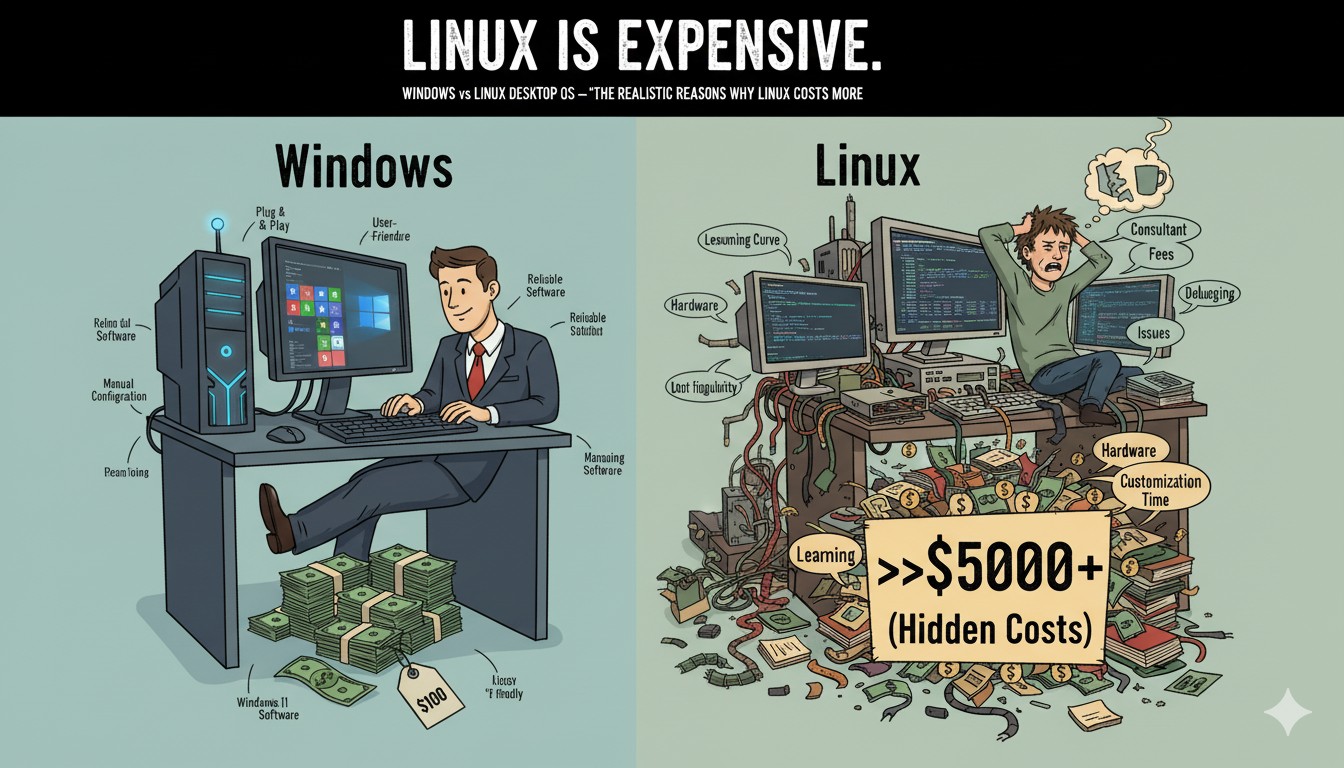
Introduction: The Pitfall of “Free” and Calculating the Real Cost
Many people think, “Linux is free, so it must be cheaper than Windows,” when building a new PC or choosing an OS. It’s true that downloading an official Linux ISO costs nothing, while a retail copy of Windows 11 Home has a price tag of over $139.
However, when you plan to actually use a desktop PC for work, daily tasks, school, or at home and switch from Windows to Linux, there are “hidden costs” to consider. This article will comprehensively analyze the actual transition costs for both Windows and Linux, and demonstrate with numbers why Linux often ends up costing more in terms of time and money.
The Windows License: Retail Price, Discounts, and the Value of a Pre-installed OS
1. Official Price vs. Actual Purchase Price
- Windows 11 Home Official Price: Around $139
- Pro Official Price: $199
- OEM/Promotional Price: $20-$30 (from discount retailers or promotional keys)
- Most Used PCs and Laptops: Come with Windows pre-installed (feels ‘free’ when buying the hardware)
Aside from the fact that you have to pay for it, Windows has the tremendous advantage of being ready for almost any task immediately after purchase. Hardware compatibility, automatic driver detection, app compatibility, and support for documents, games, and printers mean there’s virtually no “post-installation setup” required.
2. The Opportunity Cost of a Purchase… “Windows is Surprisingly Easy”
A modern Windows installation on a UEFI system takes only 10-20 minutes. Just follow the setup wizard, and you’re ready to go. Essential tools like Office, a web browser, a PDF reader, and basic utilities are often pre-installed or easily accessible.
Linux: What is the Opportunity Cost of ‘Installation and Adaptation’?
1. Even ‘Just Installing the OS’ Isn’t as Simple as It Sounds
With Linux, you start by creating a bootable USB drive from an ISO file.
- YouTube guides average 15 minutes, but “actual work time is 3-4 times longer.”
- Installation task: 0.75 hours (average)
- Configuration task: 1.1 hours (average, including adding software and various settings)
Tasks like partitioning, finding drivers, setting up input methods for different languages, installing codecs, and customizing the appearance are manual steps that are often unnecessary in Windows.
2. The Essential ‘Initial Setup’
Even with user-friendly distributions like Ubuntu or Mint, you still need to:
- Update the system
- Install graphics/NVIDIA drivers
- Install codecs and multimedia support
- Set up language input methods and install basic apps
- Configure peripherals like microphones, speakers, and printers
- Adjust settings for your specific language and region
Tutorial videos guide users through 20-30 different tasks, and each step involves trial and error and waiting time, easily taking 1 to 1.5 hours in one go.
3. The Real Barrier to Entry: “Work Adaptation and Learning Time”
Linux is not an OS that can be immediately deployed for work like Windows. Without additional setup using tools like Wine/Crossover, achieving 100% compatibility with MS Office documents is a challenge.
- You need to learn alternative software like LibreOffice, WPS, or OnlyOffice.
- Setting up office peripherals like scanners and printers can be tricky.
- You need to handle font installation and PDF/image/video editing workflows.
- Beginner to intermediate users need to invest over 20 hours in “learning and adaptation” to ensure usability for their actual work.
A Practical Comparison: Cost and Time
| Category | Windows (Official) | Windows (Discount) | Linux (Install + Setup) | Linux (Full Transition) |
|---|---|---|---|---|
| Cost (USD) | $139 | $30 | ≈$13.50 | ≈$159.50 |
| Install+Setup Time | ~0.5h | - | ~1.85h | ~22h |
| Work Adaptation | None | None | Required | Required |
Based on the US federal minimum wage (2025): $7.25/hour
In short, while the Linux OS download is free, the “time cost” of the transition is not.
The ‘Cost Wall’ You’ll Inevitably Hit During the Transition
Windows:
- Most tasks are possible immediately after installation.
- Office, PDF, browsers, music/movies, and modern printers/scanners are recognized automatically.
- Software can be installed directly from the MS Store or websites.
- Official support and community help are overwhelmingly abundant.
Linux:
- Requires post-installation updates and separate setup for codecs, drivers, and apps.
- Requires ‘adaptation and learning’ for alternative productivity tools like LibreOffice.
- Hardware compatibility is not guaranteed; printers, scanners, and other devices may not work out of the box.
- Not 100% compatible with a Microsoft environment (especially for Office, CAD, accounting software, etc.).
- “Things that were taken for granted in Windows” require cumbersome trial and error.
The Subtle Value of Windows: A Lower “Experiential Barrier to OS Installation”
Windows is overwhelmingly superior in its automation, integration, and immediacy. Linux demands a certain level of ’expertise, patience, and adaptability’ from the user. As of 2025, the desktop OS market share for Windows is over 70%, while Linux remains around 2%. This gap is not just about a “free vs. paid” debate; it’s critically influenced by psychological barriers to entry, the opportunity cost of trial and error, and market-friendliness.
Conclusion: On the Desktop, “Linux Can Be More Expensive”
We need a shift in perspective to recognize the practical reasons why Windows can be cheaper and why Linux actually requires more of the economic resource we call ’time’.
- Linux: Free to download, but your time and effort are expensive.
- Windows: Costs money, but it’s ready for work immediately.
In the next article, we’ll take a deep dive into the real-world difficulties of installing Linux, covering everything from creating bootable media to troubleshooting hardware compatibility.
Summary: The Linux OS download is free, but the time, trial and error, and adaptation effort required to switch to it as a desktop are by no means less than Windows. It can even be more expensive, and realistically, Windows often turns out to be the cheaper option.
Related Posts
- Is Linux Installation Really “Easy”? The Reality of Setting Hell (Part 2)
- Recycling Old PCs and Eco-Friendly Practices in Action – Linux Does What Windows Can’t (Part 3)
References
- Windows 11 Home - Microsoft Store
- Windows 11 Pro - Microsoft Store
- How to Install Ubuntu 25.04 – Complete Guide (YouTube)
- 20 Things You MUST DO After Installing Ubuntu 24.04 LTS (YouTube)
- Next year’s minimum wage to rise to 10,320 won, first decision on pay by Lee govt
- US Federal Minimum Wage (Dept of Labor)